
For employees
How to take part
Everything your team needs to start a Sanad programme, from setting up their phone to collecting the reward. Share this page with them on day one.
Your daily routine
A few minutes a day, on your phone.
Move
A daily step target
Watch
A short video lesson
Answer
A few quick questions
The exact tasks and targets depend on your company’s programme. Everyone who finishes is rewarded.
Before day 1 · once only
Set up step tracking.
Sanad reads your step count from your phone’s own health app. Set this up before the programme starts, so nothing is missed.
1
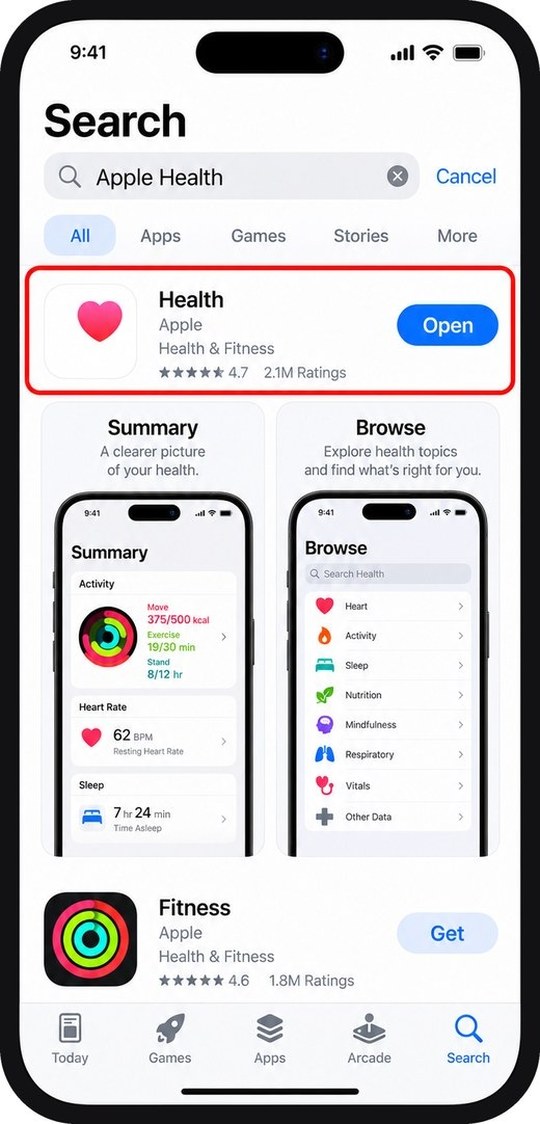
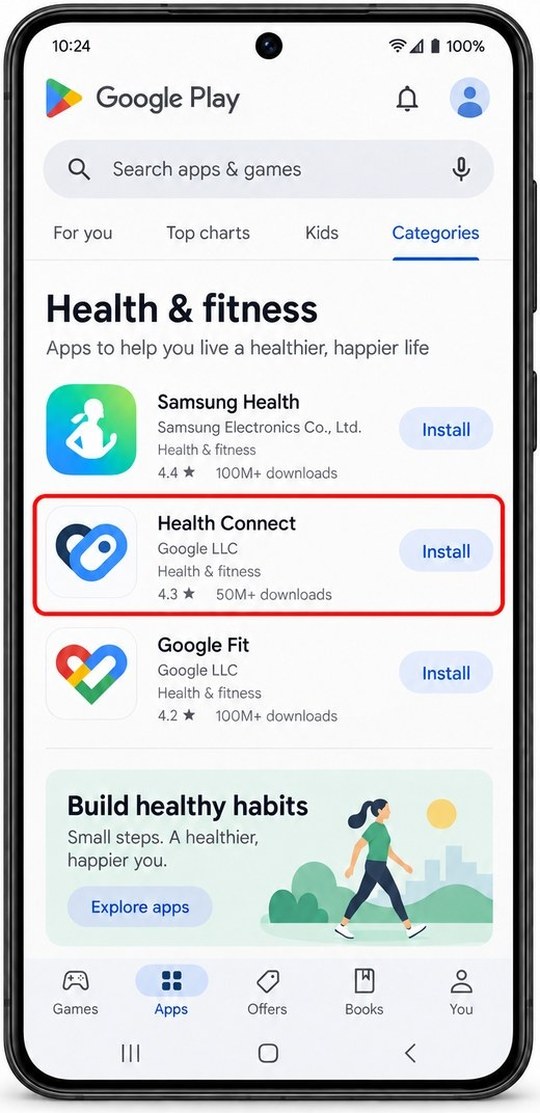
Make sure you have a health app
iPhone: Apple Health is already installed. Android: install Health Connect or Google Fit from the Play Store, then open it once.
2
Sign in to Sanad
Use your work email. Your password arrives by email when your company adds you.
3
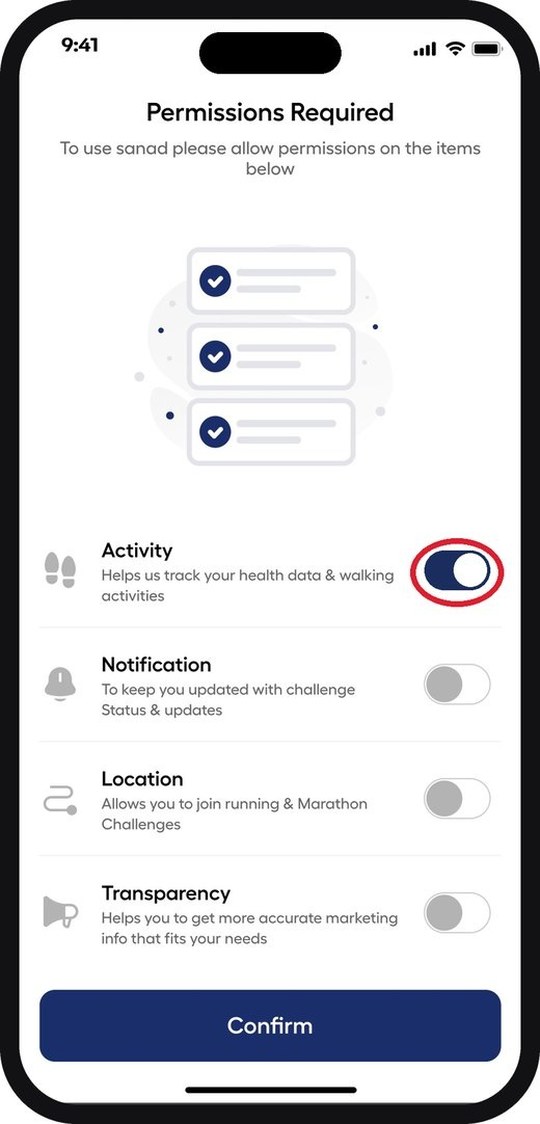
Turn on Activity
Sanad asks for permission the first time you open it. Switch Activity on so your steps count. You can leave the other permissions off.
Every day
Four things, in the app.
1
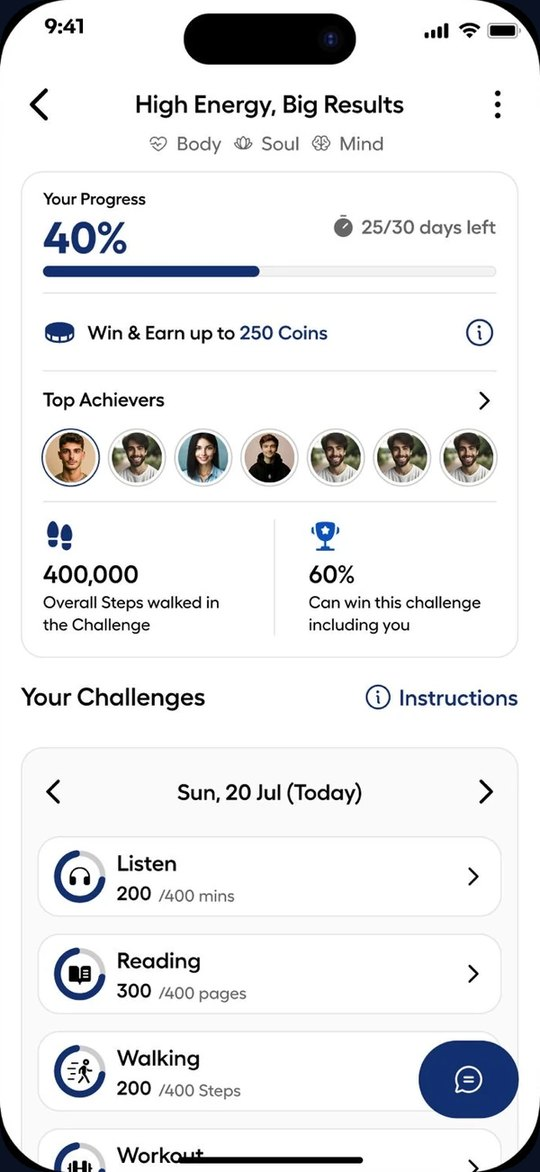
Open your challenge
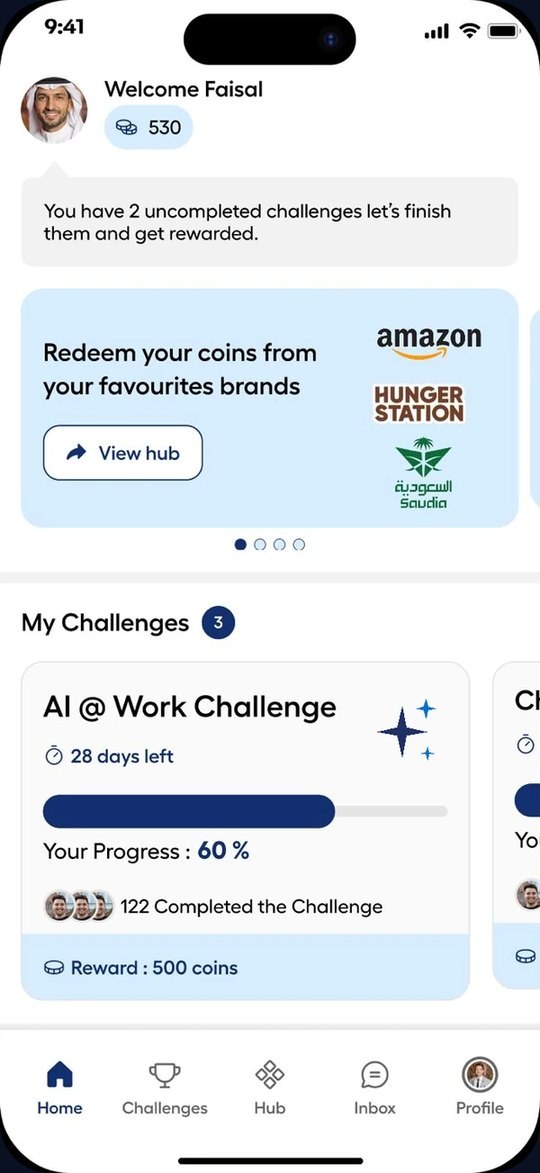
It is on your home screen, or under Challenges. Tap Join once, on day one.
2
Do the day’s tasks
Walk, watch the short video, answer the questions, or upload a photo — whatever the day asks for.
3
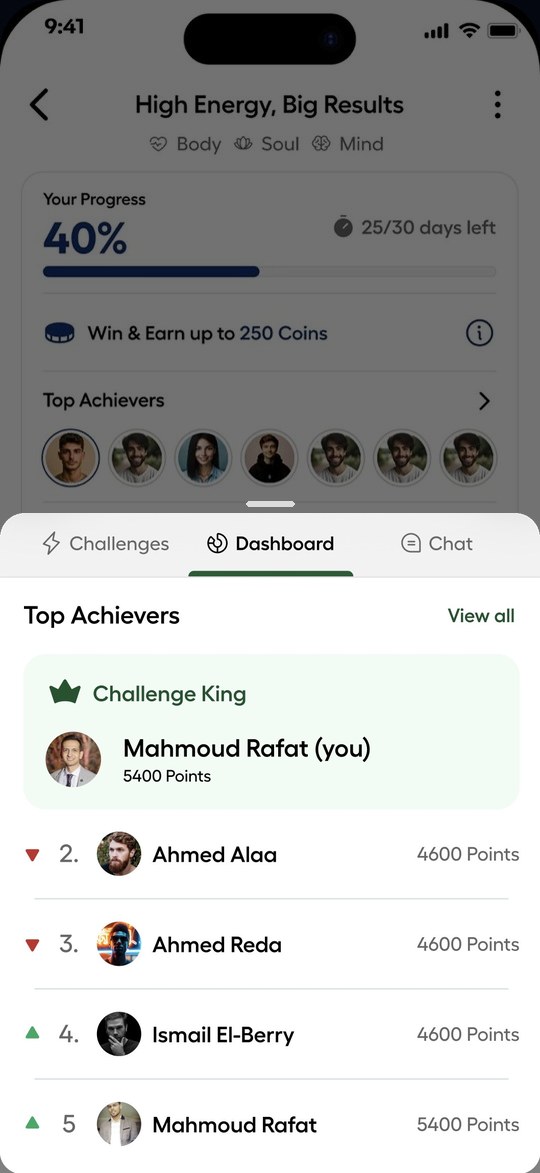
Check the leaderboard
See where you stand, on your own or with your department.
4
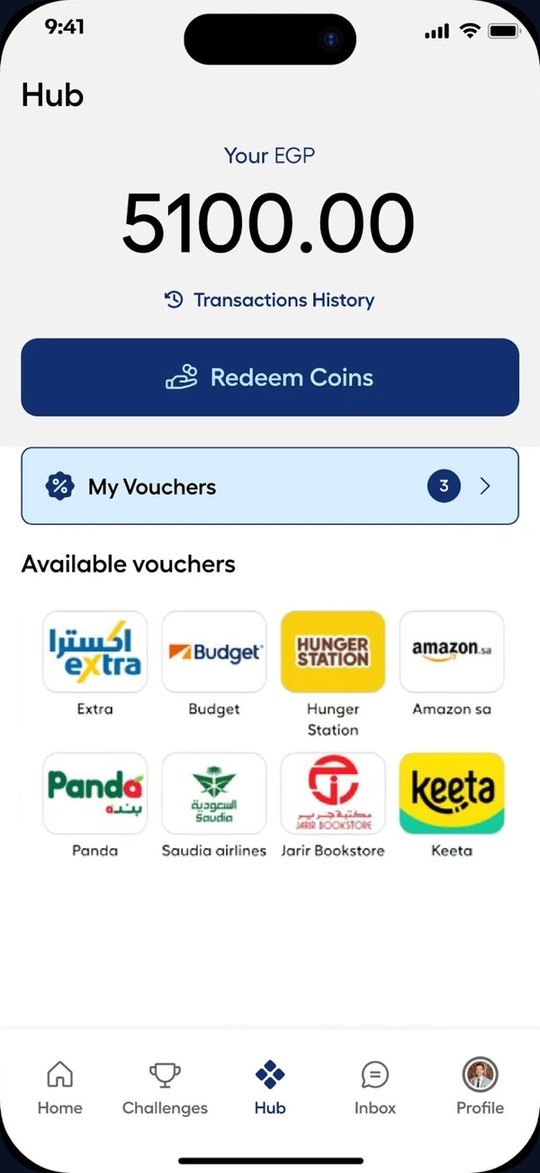
Collect your reward
Finish the programme and spend your coins in the Hub on vouchers or cash-out.
Daily checklist
Five things that keep you on track.
Log your steps — keep your phone with you
Watch the day’s video
Answer the questions
Open Sanad once a day so your steps sync
Finish the closing task on the last day
Getting an accurate step count
If your steps look wrong.
Keep your phone on you. Steps only count when the phone is moving with you, in a pocket or a bag.
Open Sanad once a day. That is when the app reads the new steps from your health app.
Wear a watch? Connect it to Apple Health, Health Connect or Garmin, and its steps come through too.
iPhone. In the Health app, check that Sanad has permission to read Steps.
Android. In Health Connect, check that Sanad is allowed to read Steps, and that your phone is not blocking the app in the background.
Steps not updating? Close and reopen the app. If they are still missing, message us and we will check it with you.
Need help?
Ask us any time.
Message the Sanad team from the Inbox in the app, or reach us here. We usually reply the same working day.
For companies
Want to run a programme like this?
Tell us your goals and we will build the programme, run it and report on it.
Build your programmeSee programmes